Job-to-Contact Playbook
This guide walks you through how to network your way into a company when you don't know anybody. The steps apply to almost any job in any field.
The average opening now receives over 200 applications. (source) Careful applications, each paired with messages to the right people who work there, give a real person a reason to look at yours.
The playbook on one screen
- Learn about the company and the job.
- Find the likely hiring manager. Search the title one step up from the job.
- Find a recruiter. They often work from another city.
- Pick about five people. Make sure they still work there and are close to the work.
- Find a way to reach them. An address the employer published beats a guess.
- Write a short message. Say why you're writing to them and ask for 15 minutes.
- Follow up, then stop. Day 7, day 14, then move on.
- When someone replies. Answer within a day, and thank them whatever they said.
Step 1: Learn about the company and the job
Doing the company research before you network with someone is essential: go on the company's website and read not just about the role you'd be applying for, but about what the company has been doing recently, the news, etc.
While you read the posting, scan for:
- The title the job reports to, or someone they work with if the posting says.
- Where the job is, and whether it's in person.
- Specific words that describe the work, such as a product, division, a type of customer or a specialty.
If a staffing agency posted the job for an unnamed company, you're out of luck: the agency's recruiter is your contact. Sometimes you get lucky and the same job is also posted on the company's own website. If it is, apply there and use this guide to reach people at the company.
Applying as well? See my tips on applying while you network.
Example: what the Stryker posting tells you
The worked example in this guide is a Territory Sales Representative job at Stryker in Pittsburgh. It uses only what the posting says, and it describes people by job title, never by name.
| What to note | What the posting says |
|---|---|
| Words for the work | “Neurovascular”, after a dash in the job title. The job sells the Acute Ischemic Stroke (AIS) portfolio while supporting the Hemorrhagic (HEM) portfolio. |
| Reports to | Not given. BUT… The job will “partner closely with Territory Managers in the designated market”. |
| Where | A Pittsburgh territory, with travel to customer sites. |
Step 2: Find the likely hiring manager and people who do the work
Start with the job posting. If it says who the job reports to, search for that title. If not, think one step up: a sales rep usually reports to a sales manager, and a nurse to a nurse manager. Search these specific titles first. Try broad titles such as “Manager” only if those searches find nobody.
On LinkedIn, open the company's page and click People. Type that title in the search box, and add the city if the job is in person. Words from the posting help too. For a grocery job at Walmart, add “grocery”.
Where the office is matters. At Google in Omaha, the few people nearby probably know who's hiring. In the Bay Area, thousands of people share the same title, so lean on words from the posting instead.
Startups, labs, nonprofits and many small businesses list their people on their own website. Check there before LinkedIn. Schools, hospitals and government offices often publish staff directories too, sometimes with email addresses. Leadership pages and press releases can also name people you haven't found on LinkedIn.
Small companies can be confusing on LinkedIn. You may land on a look-alike page from another country, or a separate regional page with different people. Check that the people you find work where the job is.
The people listed on LinkedIn as part of the hiring team (“Meet the hiring team”) are often just the recruiters, who may be bombarded with messages. Don't stop there.
Go for the person closest to the job, not the most senior name you can find. Someone who made the same career change you're making, or volunteers where you do, is a good person to start with. You won't know for sure who's hiring, and that's fine.
Example: who to look for at Stryker
The posting doesn't say who the job reports to, so think one step up from a territory sales rep. On Stryker's People tab, search “Regional Sales Manager” with “Neurovascular”.
Then search “Territory Manager” with “Neurovascular” and Pittsburgh. The posting says the job works closely with Territory Managers, so they know what it's like. A rep in another territory may be able to tell you what the job is like.
Step 3: Find a recruiter
If the posting names a recruiter or a contact person, start there.
At a small company, hiring is often handled by someone in People Operations or HR, or by the office manager. At larger companies, look for titles like talent partner, sourcer, talent acquisition or recruiter.
Recruiters often work from a different city, state or region than the job, so leave the location out of this search. For a non-technical job, skip a technical recruiter. A general recruiter can usually pass your name to the right person.
The recruiter is usually the easiest person to find on your own. One is enough, so spend most of your time on the people from step 2.
Example: a recruiter for the Stryker job
Search Stryker's People tab for “talent acquisition” with “sales”, and leave the location empty. A recruiter who hires for sales jobs fits, wherever they're based.
Step 4: Pick about five people
Most of the names you turn up won't help with this job. Open each profile and check:
- They still work there. Profiles go stale.
- They're close to the work. Someone senior in another part of the company may have little to do with this opening.
- Don't focus on people who don't have any hiring authority, like interns, students and postdocs.
Then pick about five: one or two who might manage the job, one or two who do the same work, and one recruiter. At a small company, almost anyone can pass your name to the person hiring.
Real shared background makes a good opener: the same school or past employer, a professional association, a course, volunteering, an online group or a home town. So does a talk, post or newsletter of theirs you actually read.
Example: a Stryker short list
| Person, by title | Why them |
|---|---|
| Regional Sales Manager, Neurovascular, whose region includes Pittsburgh | Possible hiring manager: one step up from a territory sales job in the same business. |
| Territory Manager, Neurovascular, Pittsburgh area | Does the work: the posting says this job partners closely with Territory Managers. |
| Territory Sales Representative, Neurovascular, another territory | Does this job today and can tell you what it's like. |
| Talent acquisition recruiter who hires for sales | Recruiter. May live in another state. |
These rows describe kinds of people, not real profiles.
Step 5: Find a way to reach them
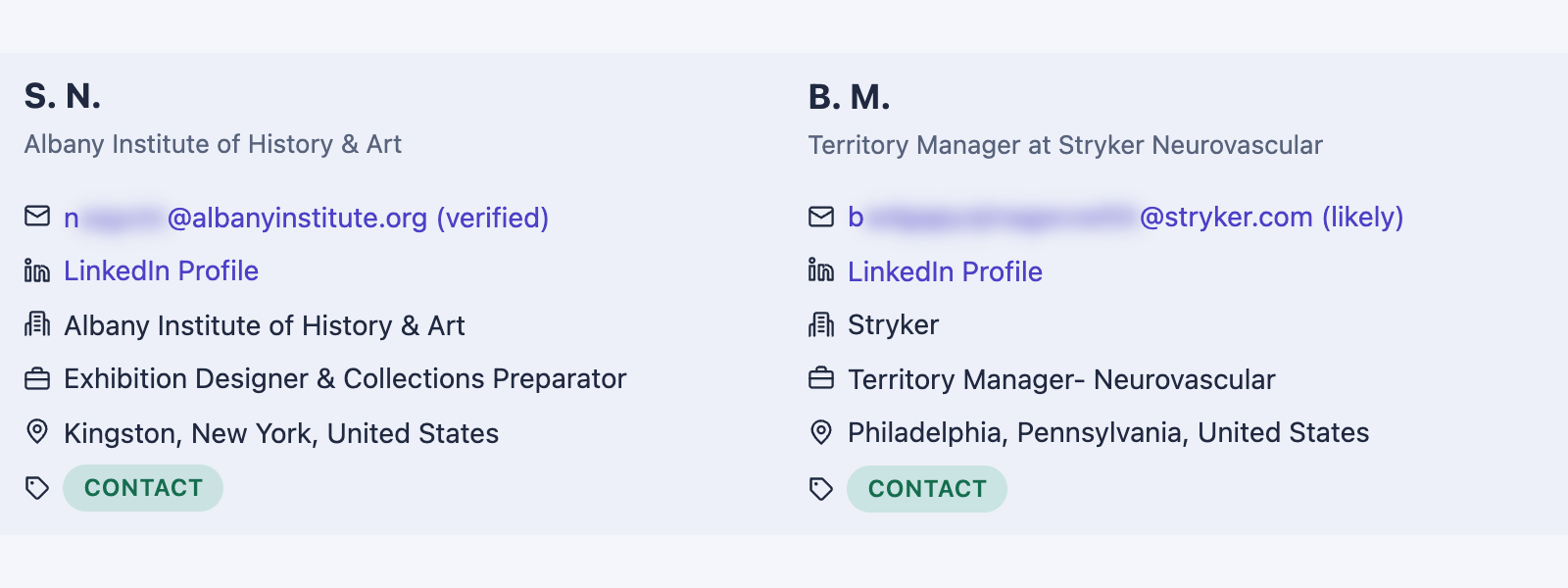
An email address the employer published on its own website is the most reliable kind. Staff and About pages often list them.
If there isn't one, work out the company's email format. Find one real address from someone who works there, in a press release, a conference bio, a faculty page or a research paper, and apply the same pattern, such as first.last@company.com, to your contact's name. The email domain isn't always the same as the website's.
Lookup tools such as Apollo, Hunter.io, Lusha, RocketReach and Snov.io can suggest a format or an address, and each offers a free plan or trial. Most of these tools can also check whether an address works. An address built from a pattern or suggested by a tool is a best guess. If an email bounces, try LinkedIn.
Introductions
If you have a mutual contact, ask whether they'd rather introduce you or let you use their name. Either way, send them two or three sentences about yourself that they can forward as is.
Template: a short note your friend can forward
I'm {your name}, a {current or most recent job title} with {a line about your experience}. I'm interested in the {job title} role at {company}, and I'd be grateful for 15 minutes with {their first name} to hear about the work. (I recently applied for this role.) (My resume is attached.)
When you have no address
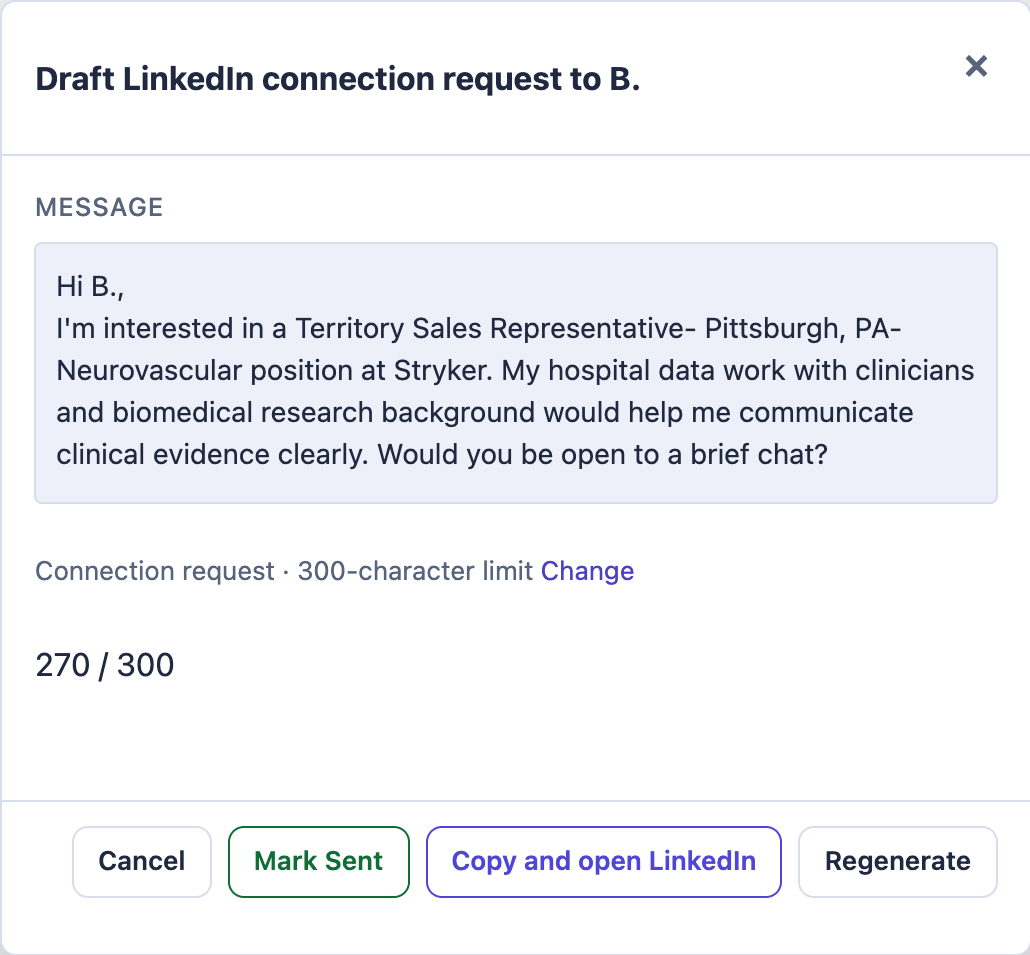
Send a LinkedIn connection request with a short note, and once they accept, send your message. A note can be up to 200 characters on a free account (300 with Premium), and free accounts can add one to only a few requests a month, according to LinkedIn's help page on personalized invitations, so save your notes for people you can't email.
Step 6: Write the message
Keep it short. Say which job you're interested in and why you're writing to this person. Add a few lines on what you bring, then ask for a 15-minute call. Close with: “If you're not the right person, could you point me in the right direction?”
For the subject line, use “Question about the {job title} role”.
Attach your resume to the email. If the person wants to pass your name along, that makes it one click for them. LinkedIn messages don't need one.
Each template below has a few parts in parentheses. Keep a part only if it's true for you, and drop the parentheses. If you can't fill in why you're writing to this person, go back to step 4.
Templates: first email, LinkedIn note and LinkedIn message
Subject: Question about the {job title} role

Hi {first name},

I'm interested in the {job title} role at {company}. (I recently applied for this role.) (Like you, I {real shared background}.) I'm writing to you because {why this person, such as: you manage this kind of work in the area}.

A few things from my background that fit the role:
- {a result or skill that matches the posting}
- {a second one}
- {a third one, if you have it}

Would you have 15 minutes in the next week or two for a quick call about the role? If you're not the right person, could you point me in the right direction?

My resume is attached.

Best regards,
{your name}
Hi {first name}, I'm interested in the {job title} role at {company} and would love to connect. (I recently applied for this role.)
Count the characters once your details are in. LinkedIn stops a note at 200 on a free account.
Hi {first name},

(Thanks for connecting.) I'm interested in the {job title} role at {company}. (I recently applied for this role.) {One or two sentences on what you've done that fits the role.}

Would you have 15 minutes for a call about the role? If you're not the right person, could you point me in the right direction?

{your name}
Writing to someone who does the job? Ask what the work is like day to day. Writing to a recruiter? Ask about the hiring process.
Step 7: Follow up and keep track
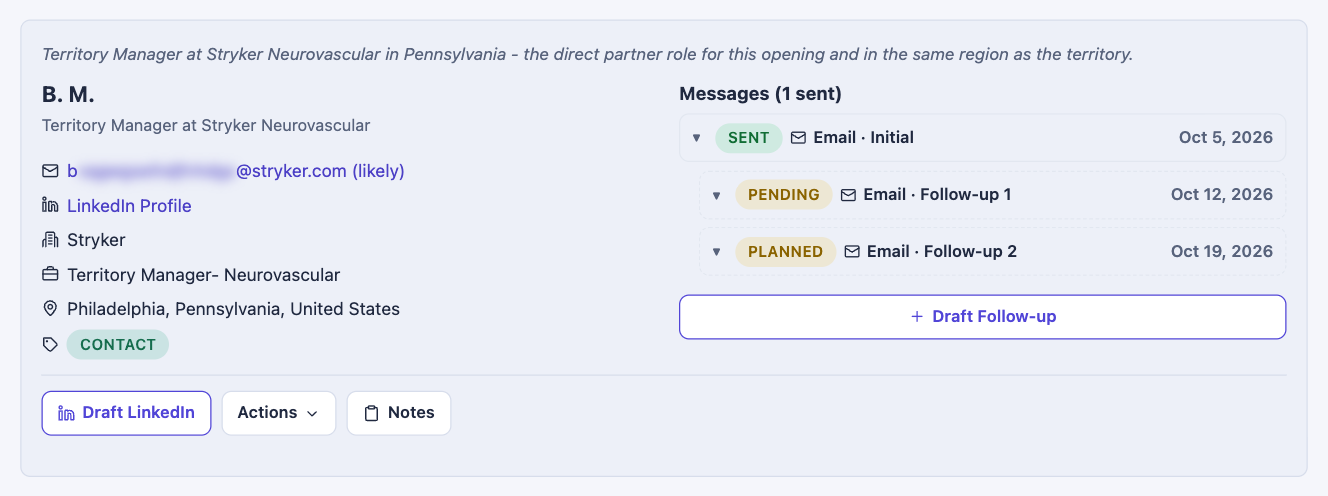
If you don't hear back, follow up 7 days after your first message, and once more 14 days after it. Then stop.
In my own job search, about half of the first replies I got came only after a follow-up. One of those replies said:
“I've connected with the hiring team and recruiter and they are impressed with your CV. They will be reaching out soon!”
A few things that help:
- Write to everyone on your list on the same day, so the follow-ups line up too.
- Only add new people at the company if you haven't heard back from anyone. Names someone gives you are different, of course.
- On LinkedIn, count the 7 and 14 days from your first full message. Leave a pending request alone.
- If someone says they're the wrong person, thank them and ask who might be right.
Templates: follow-ups on day 7 and day 14
Hi {first name},

I'm following up on my note about the {job title} role at {company}. I'm still very interested. (Since I wrote, {one new thing: a result, a project or something you learned about the company}.)

Would you have 15 minutes this week for a quick call? If you're not the right person, could you point me in the right direction?

Thanks,
{your name}
Hi {first name},

This is my last note about the {job title} role at {company}. I'm still interested, and I'd be glad to talk if a short call this week or next works for you. (One more thing that fits the role: {a result or skill you haven't mentioned}.)

If you're not the right person, could you point me in the right direction?

Thanks,
{your name}
Send each one as a reply in the same email thread.
Keep a tracker
Keep one row per person. Five people with an initial message and two possible follow-ups means 15 dates for one job. Add who referred you, the names people give you, anything they offered to do, and when you sent a thank-you.
Download the tracker as a spreadsheet (CSV). It opens in Excel, Google Sheets or Numbers.
Step 8: When someone replies
Answer within a day, and thank them whatever they said.
If they offer a call, keep it short. Prepare a couple of questions about the work, such as what the first few months in the job look like. For someone doing the job: what does a typical week look like? For a recruiter: is the role still open, and what does the hiring process look like? Near the end, ask who else you should talk to.
If the call went well, ask at the end whether they'd be willing to refer you for the role. Every company is different, but do check how their referral process works. Sometimes they want you to have the referral before you apply in order for it to register properly in their system. Other times, it doesn't matter.
Send a thank-you within a day, and mention one thing they told you. If someone referred you or passed your name along, let them know how it went. Then stay in touch: a short note when you have news is enough.
Templates: confirming a call, a thank-you and an update
Hi {first name},

Thank you, I'd be glad to talk. {Day and date} at {time and time zone} works for me. If that doesn't suit you, I'm also free {a second option, with time zone}. (You can reach me at {phone number}.)

Best,
{your name}
Hi {first name},

Thank you for taking the time to talk today. I especially appreciated {one specific thing they told you}. (As you suggested, I'll get in touch with {a name they gave you}.)

Best,
{your name}
Hi {first name},

A quick update: I spoke with {name} on {day}. (The next step is {next step}.) Thank you again for putting me in touch. It really helped.

Best,
{your name}
Where CareerFlip fits
Doing this carefully takes an hour or more per job. Most of that work starts over with the next posting. It is a lot of careful, repetitive work on top of a job search that is already tiring.
Businesses use all kinds of tools to find people to reach out to and keep track of who they've talked to, like Apollo, Hunter and HubSpot. Most of them are built for selling. I wanted one built for getting hired.
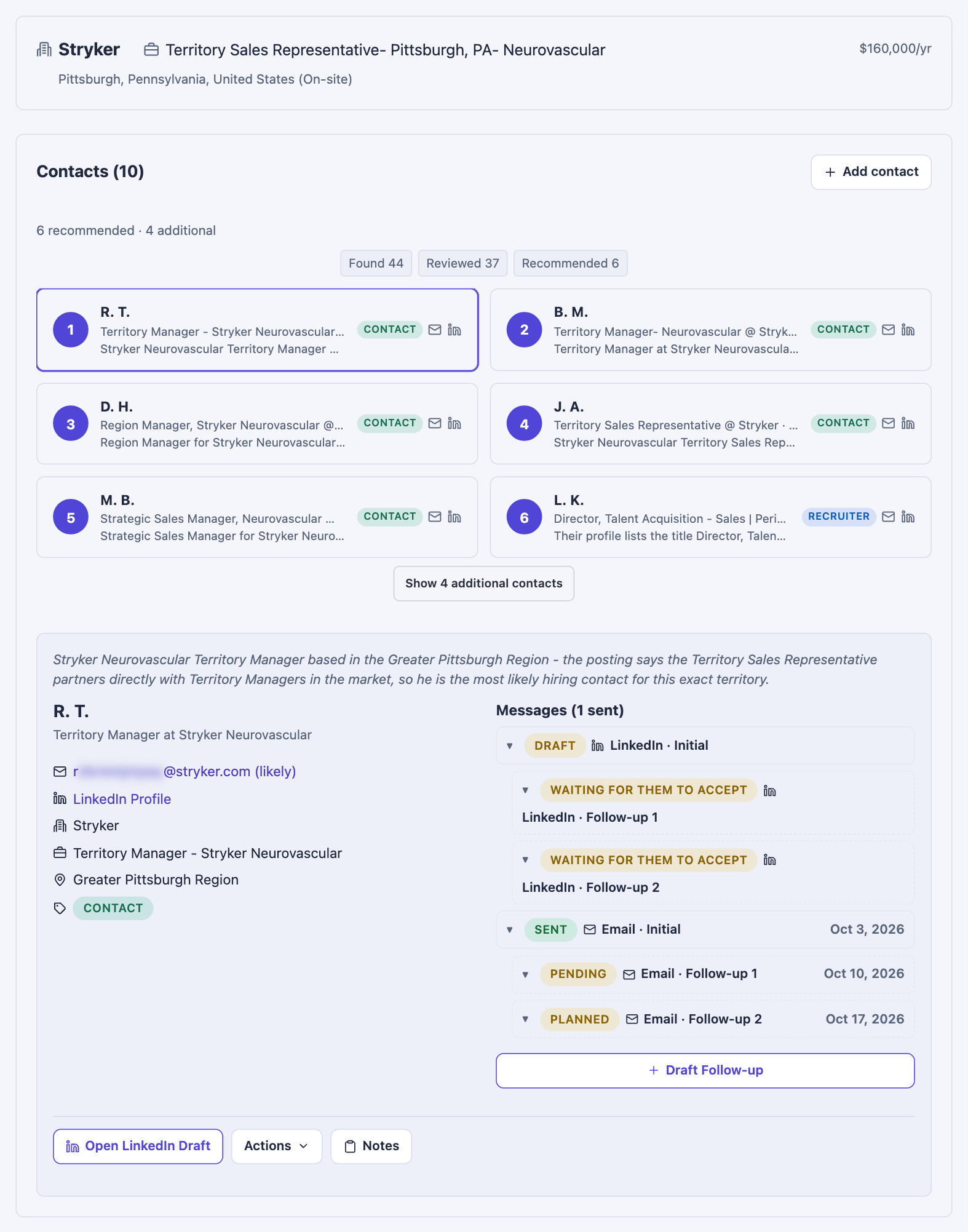
So I built CareerFlip. You start with a job you want, and it finds the people connected to that job and drafts your messages. Each contact comes with a LinkedIn profile and/or email and a reason to get in touch. A search takes under 10 minutes, so you can grab a coffee while it runs. You can run two searches at once and line up more behind them. You stay in control: it never sends anything for you, and you decide who to contact and what to say.
It does more than draft messages. It takes the organizational headache out of your outreach: it keeps track of everyone you've contacted, reminds you when to follow up, and keeps it all in one place. Somehow, automating this to a degree makes it easier, and less of a burden.
This has been tried on hundreds of jobs across industries and role types, but I can't absolutely guarantee that it will always give you contacts. That's impossible. A human couldn't do that either. It also won't work as well for jobs with little visible online presence, like entry-level jobs in the trades or restaurants.
What beta testers say
CareerFlip is an incredibly useful tool that makes the job search feel much more focused and proactive. It helps identify the right people to network with, streamlines outreach and networking, and keeps everything organized in one place. The Fit Analysis feature alone is worth the price. Highly recommend!
Amy M., Teacher
CareerFlip is an excellent platform that allows you to network in a modern and intuitive way while providing maximum efficiency.
Beta tester
CareerFlip is a great resource to help you find contacts and be able to start networking with people working with a company you're interested in or have applied to. It gives you useful information, such as how good of a fit you are for the job position you've applied to, and helps you draft messages you could use to start networking with people.
Ivan F., Game Development
Beta testers received free access to CareerFlip. Reviews are shared with the reviewers' permission and edited only for typos.
License sales open soon.
Notify me when licenses go on sale